
Managing ongoing, paused, and queued Jobs in Folgo
How to View Ongoing or Paused Jobs Not Displayed in the Jobs History?
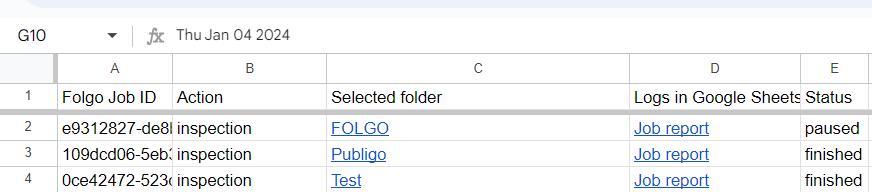
If you are unable to see certain ongoing or paused jobs in the Folgo jobs history, you can use the 'Export full jobs list' feature to create a spreadsheet with all your jobs. This allows you to find any interrupted jobs and access the detailed spreadsheet report linked to the action.
How to Resume a Paused Job from the Exported Jobs List?
After exporting your jobs list and opening the detailed spreadsheet, you can resume a paused job by following these steps:
-
Open the spreadsheet to view your entire history.
-
Locate the action you want to relaunch and open the report in the 'Logs in Google Sheets' column.

-
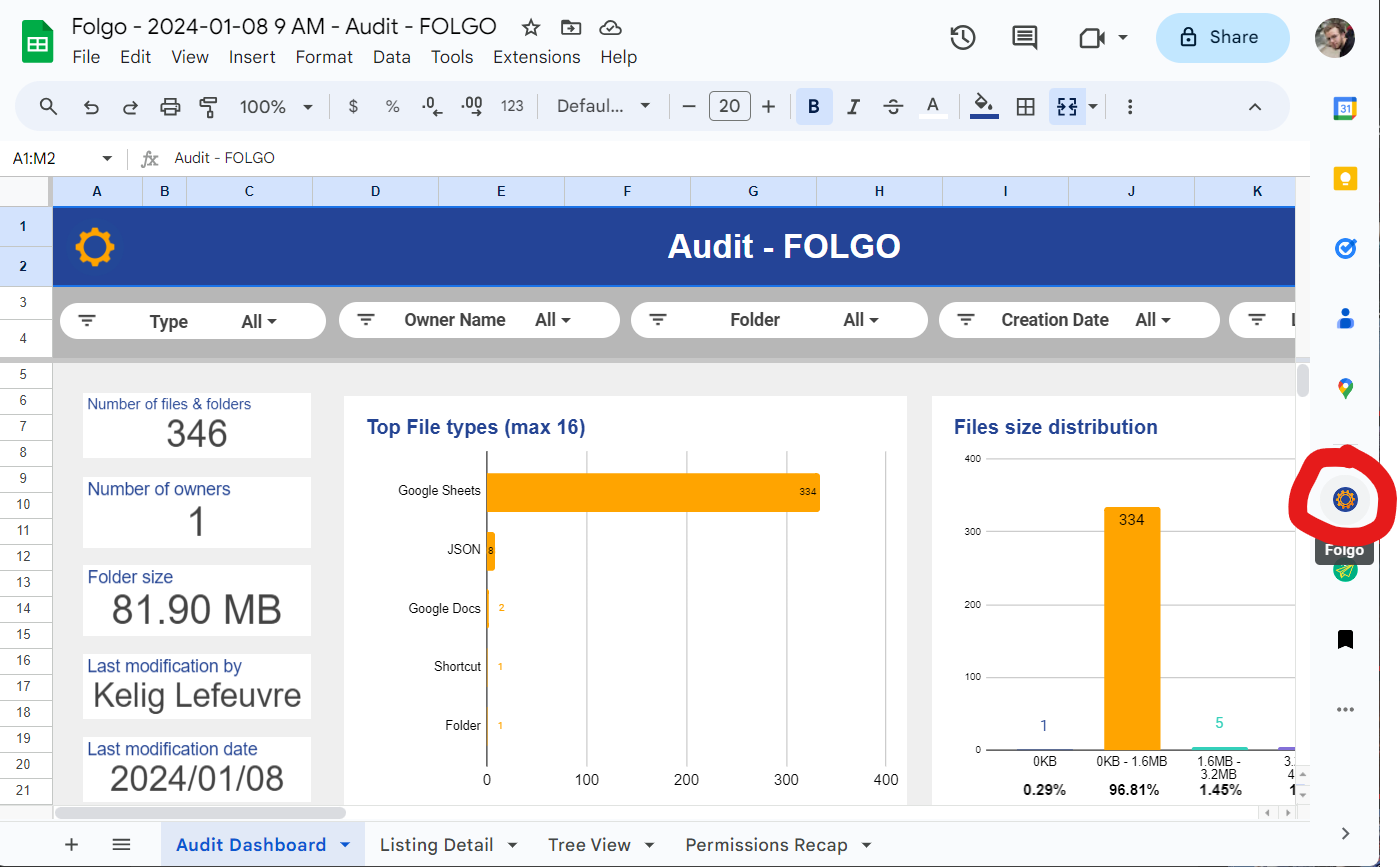
Once the report is open in Google Spreadsheet, go to the sidebar and open Folgo.
-
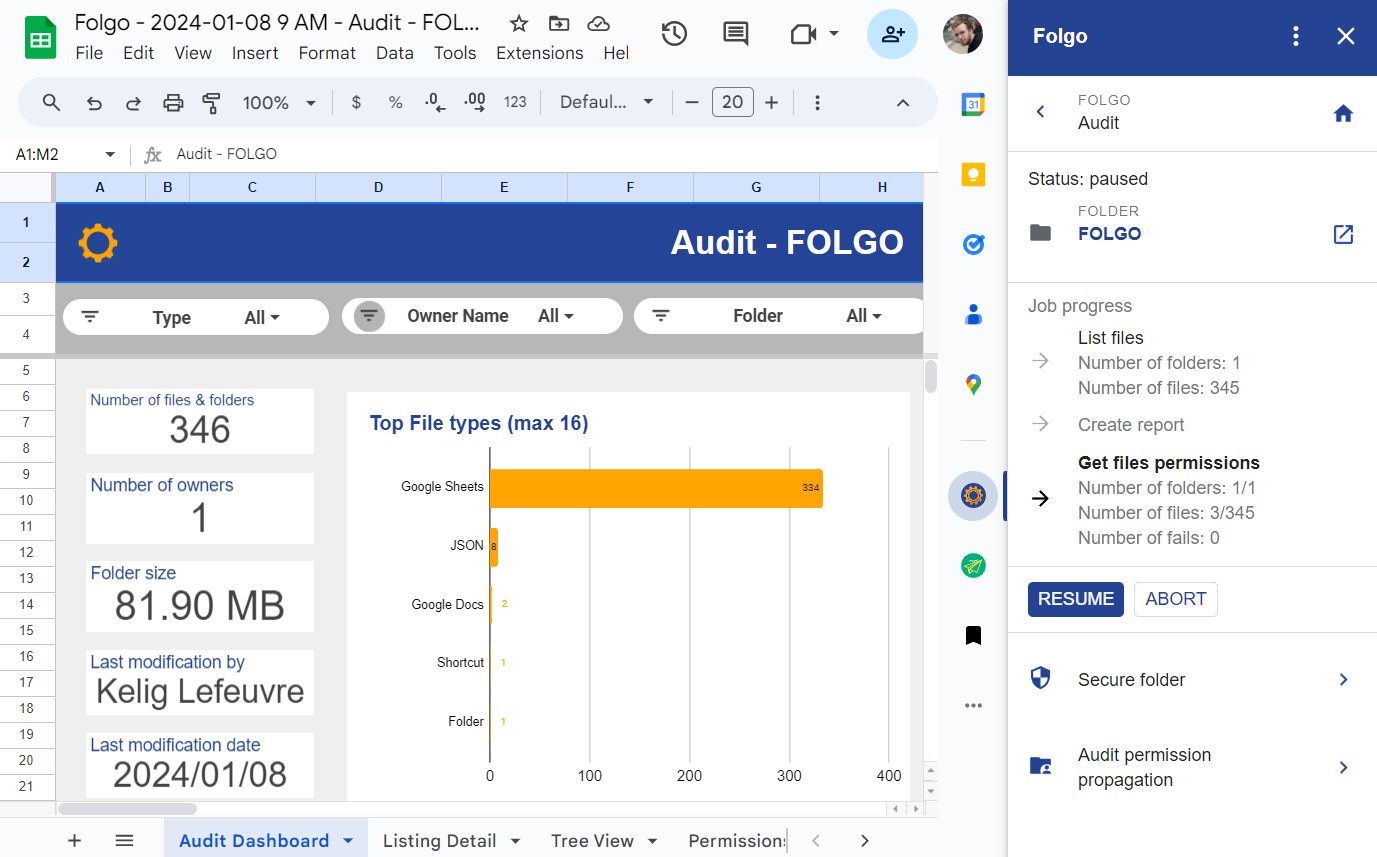
In Folgo, you should find the button to resume the action.
If you encounter any issues or errors during this process, please reach out to our support team for assistance.