
How to stop Folgo task completion notifications?
Can I stop Folgo from creating an email for every completed task?
Currently, Folgo automatically sends an email notification upon the completion of each task. While there is no direct option within Folgo to disable these emails, you can manage them by setting up a filter in your email client.
Steps to create a filter in your mailbox:
- Go to your email client's Settings.
- Navigate to 'See all settings' > 'Filters and Blocked Addresses'.
- Scroll down and click on 'Create a new filter'.

- In the Subject field, enter '(Folgo AND "is finished!")'.

-
Choose the action you want to apply to these emails, such as 'Skip the inbox' or 'Delete it'.
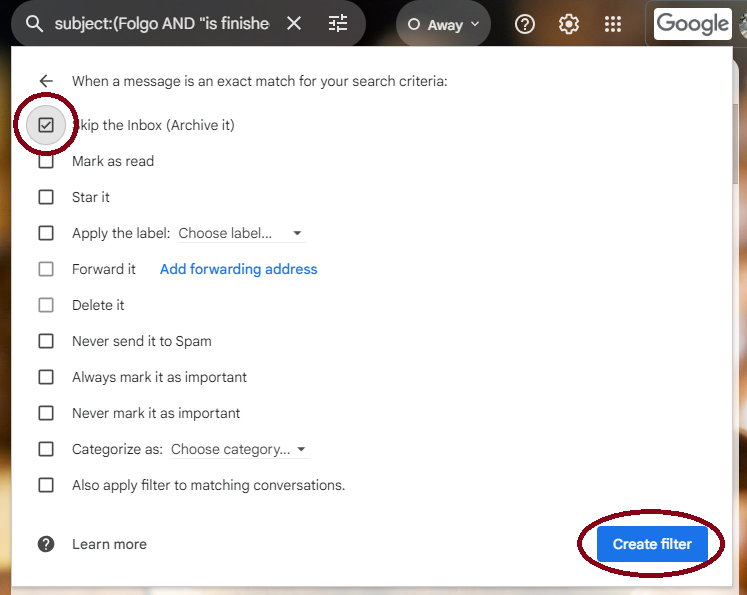
- Click on 'Create filter' to save your settings.
This will help you manage your inbox without disabling the feature entirely, ensuring that you can still keep track of completed tasks if needed.