
Is Folgo safe? Understanding its permissions.
Google recently updated how app permissions are reviewed and accepted when connecting an app to your Google account. This change is designed to give users more transparency and control over what apps can access.
If you noticed new permission screens or prompts, this is expected. In this article, we explain what changed and, most importantly, why Folgo remains safe to use.
Why Folgo Requests Permissions
Folgo works directly with Google Drive and Google Sheets. To function correctly, it must access specific parts of your Google account.
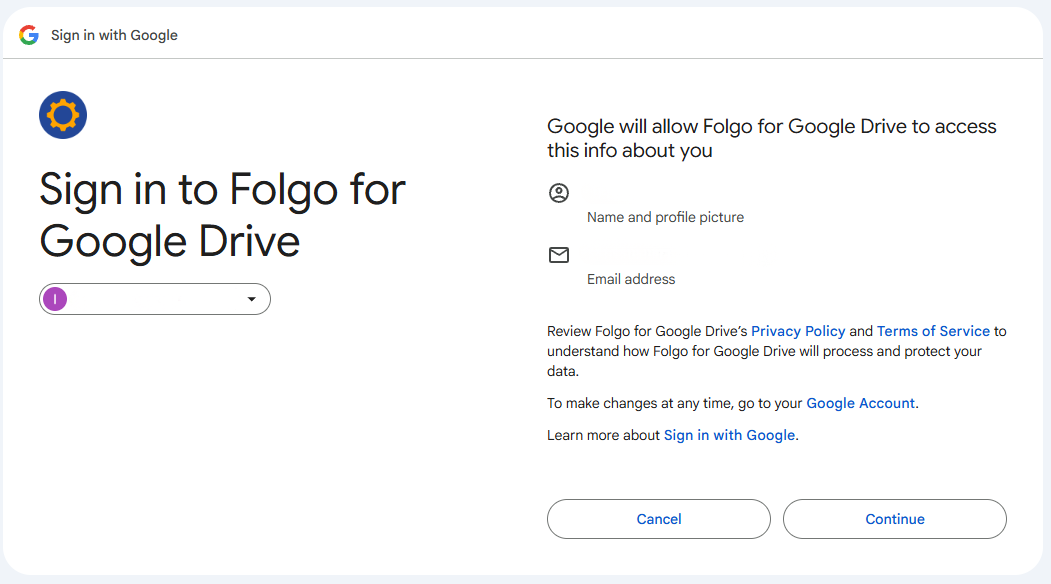
Google now requires users to manually choose which permissions they grant when connecting an app. This change does not mean apps are less secure. It means Google is raising the bar for transparency.
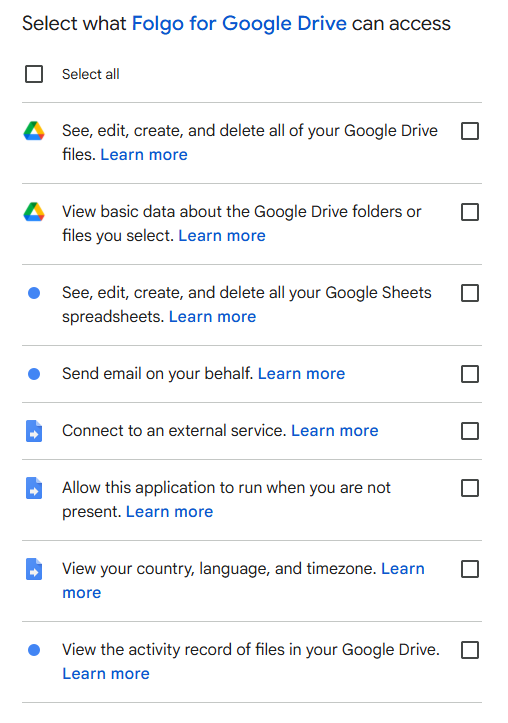
To function properly, Folgo requires all requested permissions to be granted.
We only request the bare minimum permissions which allows Folgo to perform the core features you enable. Folgo does not ask for unrestricted access to your entire Google Drive, access to personal files, or access to any data unrelated to its features. If a permission is not essential, we do not ask for it.
How Folgo Uses These Permissions
Here's an explanation of each permission required:
| See, edit, create, and delete all your Google Drive files. |
|
This permission is needed because Folgo does not store any information about your files outside your Google Drive. It is needed to:
|
| View basic information about the Google Drive files or folders you select. |
|
This permission allows Folgo to:
|
| See, edit, create, and delete all your Google Sheets spreadsheets. |
|
Folgo generates and updates Google Sheets reports. This permission is required to:
|
| Send email on your behalf. |
|
Folgo uses this permission strictly to:
|
| Connect to an external service |
|
Folgo only connects to Google services, including:
|
| Allow this application to run when you are not present. |
|
Folgo runs on Google Apps Script, which enforces execution time limits. This permission allows Folgo to:
|
| View your country, language, and timezone. |
|
This permission is required by Google to:
|
| View the activity record of files in your Google Drive. |
|
This permission is used for Folgo’s audit features. It allows Folgo to include in your reports:
|
Folgo Is Safe To Use
Your Data Is Never Sold or Shared
Your trust is essential to us. Folgo does not sell user data, share data with third parties, or use your information for advertising or profiling purposes.
All data accessed by Folgo is used solely to provide the service you activate and nothing more.
Secure Infrastructure Powered by Google Cloud
All data handled by Folgo is stored and processed using secure Google Cloud infrastructure. This ensures industry standard encryption, strong access controls, and compliance with Google’s security and privacy requirements.
Recommended for Google Workspace, CASA Audited and GDPR Compliant
Folgo is certified Recommended for Google Workspace, a designation granted by Google to applications that meet high standards for security, reliability, and user experience.
As part of this process, Folgo successfully passed a CASA security audit. CASA, Cloud Application Security Assessment, is Google’s independent audit framework designed to verify that apps accessing Google user data follow strict security and privacy practices.
In addition, Folgo is fully compliant with the GDPR and applies strong data protection measures to ensure user data is handled securely and responsibly.
Being Recommended for Google Workspace means Folgo is trusted by Google to integrate safely with Drive and Sheets while respecting user privacy.
You Stay in Control
You remain in full control of your data at all times. You can review Folgo’s permissions directly from your Google Account, revoke access instantly, or remove the app entirely whenever you choose. Nothing is hidden, and nothing remains active without your consent.
If you would like to learn more, our Data Security and Privacy Policy page explains in detail how we protect and handle your data.
For more details, you can also read the official article from Google.