
Set up Drive Inventory Report in Folgo
How to Grant Big Query Reader role
-
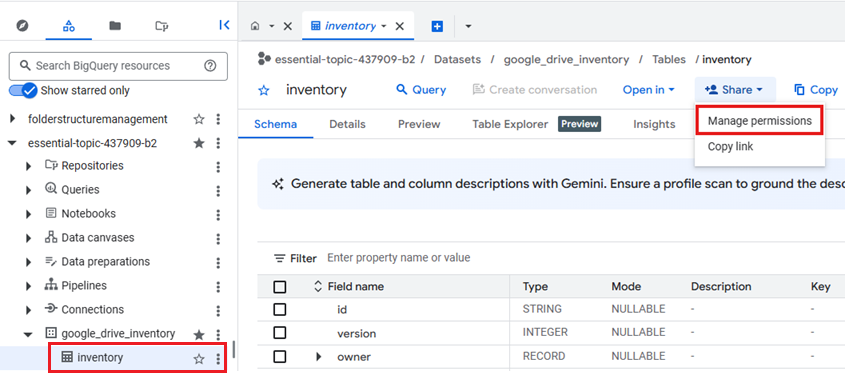
Navigate to the Big Query dataset linked to the Drive Inventory Report
- Click on the inventory table in the left-hand panel
- Click Share in the central panel
- Click Manage permissions from the dropdown
-
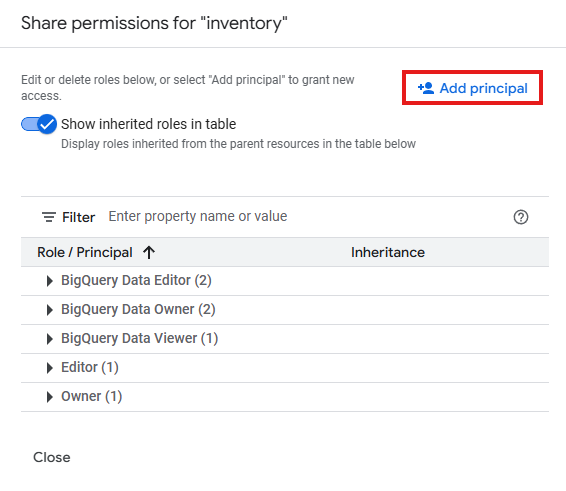
Click on Add principal to give a role to our service account.
-
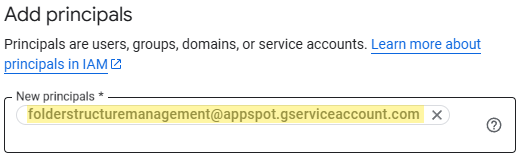
Add folderstructuremanagement@appspot.gserviceaccount.com
-
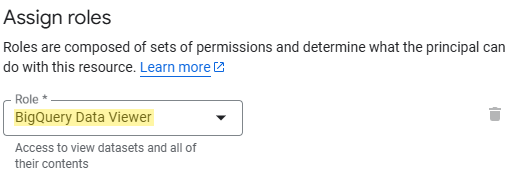
Search BigQuery Data Viewer and select it in the dropdown.
-
Navigate back to the Big Query dataset linked to the Drive Inventory Report
- Click on the three dots menu next to the inventory table
- Click Copy ID from the dropdown.
In our example the ID is essential-topic-437909-b2.google_drive_inventory.inventory
General format is
project_id.dataset_id.table_id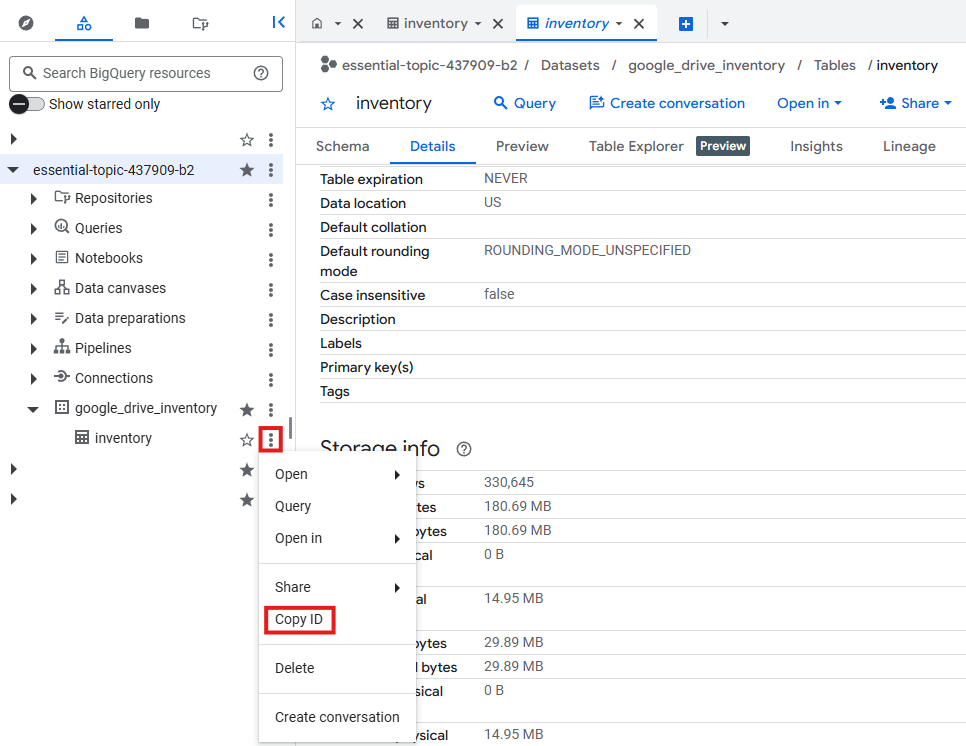
-
Send an email to support@folgo.app with the previously copied ID:
Which will look like this:
project_id.dataset_id.table_id
